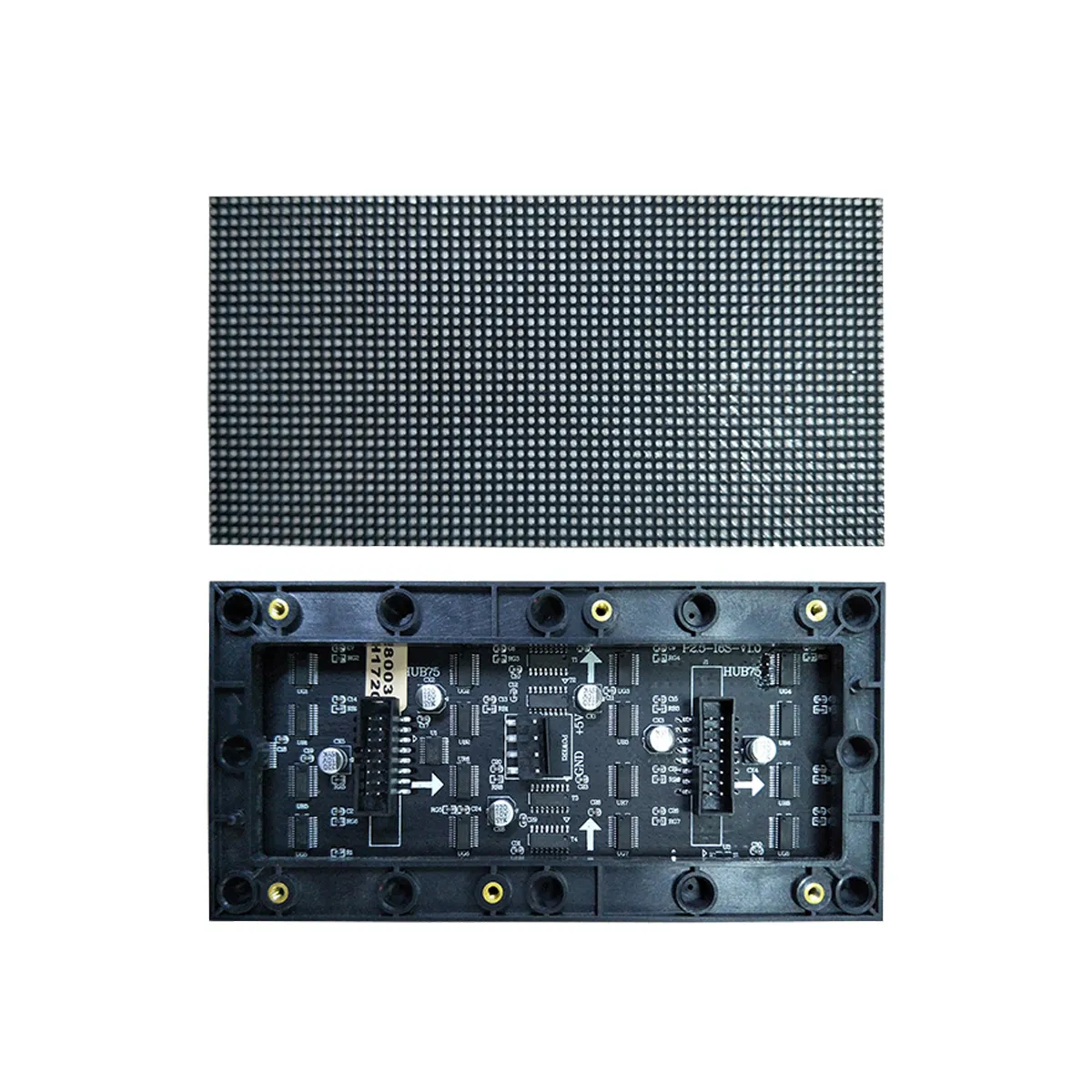
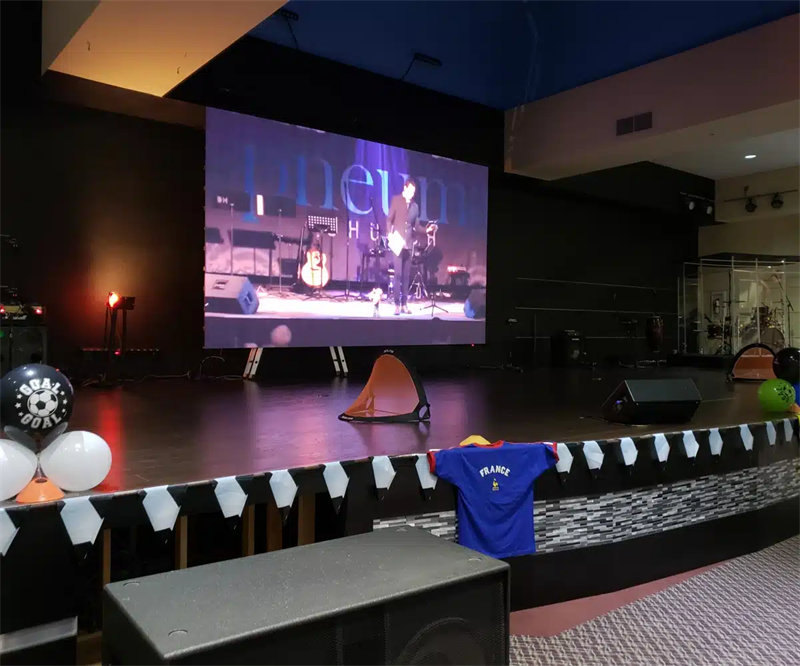
LED screens scanning methods and driver technologies determine display performance. Scanning mode plays a crucial role in enhancing the display performance of LED screens. Static scanning has better image quality but comes at a higher cost. on the other hand, Dynamic scanning is more economical. Today, let’s dive into the topic of LED screen scanning methods.
The Principle of LED Screen Scanning Technology

Simply put, the scanning method of an LED screen refers to the ratio of simultaneously lit rows to the total number of rows in a specific display area. Different types of LED screens adopt different scanning methods.
For instance, indoor monochrome and dual-color LED displays usually use 1/16 scanning. Indoor full-color screens generally adopt 1/8 scanning. As for outdoor monochrome, dual-color, and full-color displays, their scanning methods are 1/4 scanning and static scanning respectively. Due to different use cases, indoor and outdoor displays often use different scanning technologies.
Take the 1/4 scanning mode as an example. Its principle is that within one frame of image, each row of power supplies V1-V4 is turned on sequentially for 1/4 of the time as required by the control system. This method can utilize the display characteristics of LEDs more effectively and reduce hardware costs. However, it’s important to note that each row of LEDs is only lit for 1/4 of the time within one frame.
LED screen driver modes can be divided into two main categories:
- Static scanning
- Dynamic scanning.
Static scanning includes static real-pixel and static virtual-pixel modes. However, Dynamic scanning consists of dynamic real-pixel and dynamic virtual-pixel modes. When you are selecting driver chips for LED screen modules, different chip choices enable different scanning methods, thereby influencing display performance. Common scanning modes include
- 1/2 scan
- 1/4 scan
- 1/8 scan
- 1/16 scan
- 1/32 scan.
Comparing dynamic and static scanning, dynamic scanning uses a “point-to-column” control method, controlling pixel points from the output of the driver IC. It requires a control circuit, so the cost is relatively low. Nevertheless, the display effect of this scanning method is not ideal. There is significant brightness loss. Static scanning adopts a “point-to-point” control method, also controlling pixel points from the output of the driver IC, but it does not require a control circuit. Although its cost is higher, the display effect and stability are superior, with minimal brightness loss.
To better understand scanning methods, let’s take a specific example.
Suppose a common full-color module has 16*8 pixels (2R1G1B). If MBI5026 drivers are used, the total number of pixels used in the module is 512. Since the MBI5026 is a 16-bit chip, we can calculate 512 divided by 16, which equals 32. This number indicates the scanning method:
- – If 32 MBI5026 chips are used, it’s static virtual scanning.
- – If 16 MBI5026 chips are used, it’s dynamic 1/2 scan virtual mode.
- – If 8 MBI5026 chips are used, it’s dynamic 1/4 scan virtual mode.
Common LED screen scanning modes include 1/16, 1/8, 1/4, 1/2, and static. How to distinguish and calculate them? The simplest way is to count the number of LEDs on the unit board and the number of 74HC595 chips.
By dividing the number of LEDs by the number of 74HC595 chips and then by 8, you can get the 1/n scanning ratio, thus determining the specific scanning method.
Calculation formula:
Number of LEDs ÷ Number of 74HC595 chips ÷ 8 = 1/n scanning ratio
Analyzing the Differences and Applications of 32-Scan and 64-Scan
What Are 32-Scan and 64-Scan Respectively?
32-scan means that within one frame time, the screen is divided into 32 areas. These areas are lit sequentially to form a complete image. This scanning method is similar to stage lighting effects. The spotlights illuminate different parts of the stage one by one, ultimately presenting a wonderful performance.
What about 64-scan? If 32-scan divides the screen into 32 areas for scanning, 64-scan doubles that number. The screen is divided into 64 smaller areas and lit sequentially. This means that within the same time, a 64-scan LED display will have more areas lit in turn, resulting in a more delicate image effect. This technology further improves the precision and stability of LED displays.
What Are the Principles of 32-Scan and 64-Scan?
The principle of 32-scan is actually very simple. Just like watching a movie, a movie is composed of frames, and each frame is made up of countless pixels. On a 32-scan LED screen, each frame is divided into 32 areas. Each area is controlled independently.
Within a specific time, the first area is lit to display part of the image, then quickly turned off. Then the second area is lit to display another part of the image, and also quickly turned off. In this way, 32 areas are lit in sequence, ultimately presenting a complete image.
The principle of 64-scan is similar to that of 32-scan, but the division is more detailed. It’s like cutting a cake into more small pieces. A 64-scan LED screen divides each frame into 64 smaller areas.
Each small area is lit quickly in an extremely short time and then switched to the next area rapidly. This high-frequency switching makes the image more delicate and the color transition more natural.
What Are the Features of 32-Scan and 64-Scan?
Features of 32-scan:
Due to regional control, unnecessary current load is reduced, which helps save energy. Each area is lit in turn, it can avoid heat accumulation and damage risks caused by long-term lighting of a single area. The image is very stable. It offers high cost performance. It is suitable for most indoor and semi-outdoor scenarios. The cost is relatively low, making it easy to popularize.
Features of 64-scan:
It has more divisions than 32-scan. More divisions mean smaller control units, leading to extremely delicate and rich image details. Regional control further reduces the current load of a single area, extending the service life of the LED display. It has high brightness and low attenuation. It is suitable for outdoor occasions that require high brightness and long-term operation.
What Are the Differences Between 32-Scan and 64-Scan LED Screens?
Refresh Rate:
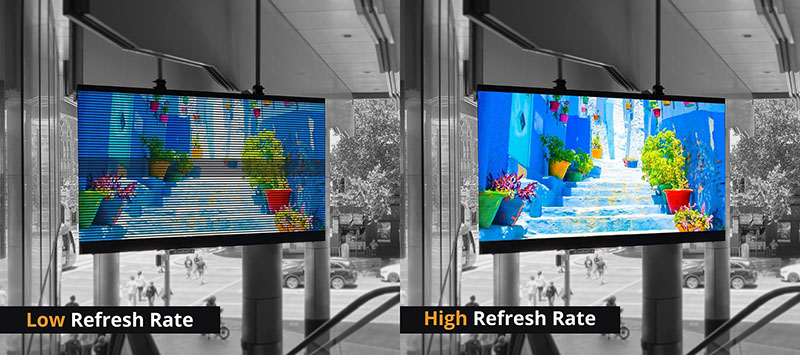
Generally speaking, 64-scan LED display screens can provide a higher refresh rate than 32-scan ones. Because there are more scanning times per unit time. This helps eliminate screen flicker. It is more friendly to dynamic images and photography recording.
Scanning Method:
32-scan means that the LED screen divides the screen into 32 areas and lights them sequentially within one frame time. On the other hand, 64-scan divides the screen into 64 areas for scanning. More scanning divisions (such as 64-scan) mean that the number of LEDs controlled by a single area is reduced during each scan. This helps reduce the current load of each area, thereby improving the stability of the screen and extending its service life.
Visual Effect:
Since more LED lights are lit at the same time, 32-scan may be slightly inferior to 64-scan in terms of refresh rate and display effect. At the same refresh rate, 64-scan may have a certain degree of blurriness or motion blur, especially when displaying high-speed moving images.
If we force an increase in refresh rate due to reduced chips. It may accelerate the light attenuation of LEDs, seriously affecting the service life, increasing the failure rate, and even causing a long strip-like “caterpillar” phenomenon.
Brightness and Power Consumption:
Theoretically, since 64-scan drives fewer LEDs each time, the overall brightness may be slightly lower than that of 32-scan under the same conditions. However, LED display manufacturers usually adjust the driving current to balance the brightness, so the final brightness performance may not differ much. At the same time, power consumption may also vary due to different scanning methods, but this difference is not always significant compared to the overall power consumption of the screen.
Cost and Complexity:
On the surface, the number of chips in 64-scan modules is half that of 32-scan modules. Theoretically, it may lead to problems such as reduced brightness, performance loss, grayscale loss, and inability to remove low-brightness color blocks, which are likely to cause color spots and color differences. To control costs without reducing functional effects, with the support of 64-scan driver ICs, serial row tube technology is adopted, abandoning the traditional 138 decoding method, directly enabling LEDs to enter the 64-scan field.
How to Choose Between 32-Scan and 64-Scan LED Screens?

Cost Budget:
32-scan LED displays are relatively lower in cost. They offer higher cost performance. On the other hand, 64-scan LED screen displays are more expensive. Therefore, budget factors need to be considered when making a choice.
Usage Scenarios:
You can Choose according to specific scenarios. If used indoors and the requirement for image delicacy is not high, a 32-scan LED screen can be selected.
If used outdoors and high brightness and high stability are required, then a 64-scan LED screen is more suitable. Usually, some users may pay more attention to image delicacy and natural color transition, so they can choose a 64-scan LED screen. While other users may focus more on cost performance and practicality, so It is a better choice for 32-scan LED screen.
Conclusion:
If you can Understand the scanning technology in LED screens, it will help you choose the right product .Whether it’s for indoor applications pursuing cost performance or outdoor displays pursuing ultimate effects, it is hoped that every user can select the most suitable LED screen.