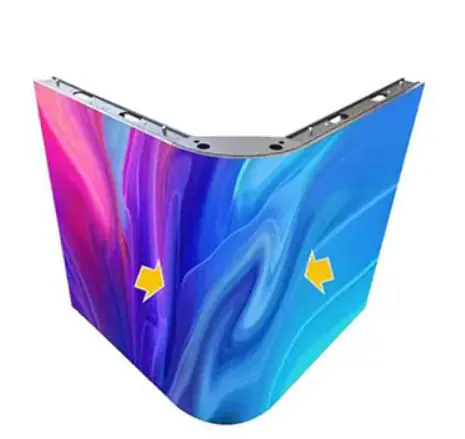
Have you noticed your LED display showing impure colors? Maybe it’s color deviation, mixed colors, color blocks, or harsh color transitions. These issues are frustrating. They ruin the viewing experience. They also affect the effectiveness of your content.
Do you know? Impure colors come from problems in color mixing or presentation. We can group the main causes into four categories, such as:
- Hardware performance
- Drive control
- Optical structure
- External environment.
Let’s break down each cause in detail.
Core Hardware Issue:

LED displays rely on precise mixing of red (R), green (G), and blue (B) beads. The consistency and aging of these beads directly determine color purity. It is the top cause of impure colors.
Deviation in Bead Consistency
Parameter differences between LED bead batches cause unbalanced color mixing. Here are the specific manifestations:
– Wavelength shift:
Each color bead has a standard wavelength range. For example, red is 620-630nm, green 520-530nm, and blue 460-470nm. If some beads shift, the mixed color will deviate. It may look orange instead of pure red.
– Uneven brightness:
Brightness varies between beads of the same color. Brightness is measured in cd/m² (nits). Suppose some green beads are brighter than others. The whole screen will lean toward green.
– Angle difference:
Emission angles differ between beads. Some may have a 120° angle. Others reach 160°. It will cause unbalanced color mixing at different viewing angles. You’ll see “viewing angle color deviation”.
Related:
| Select What LED Bead Specifications Are Available for LED Display Modules? | What LED Bead Specifications Are Available for LED Display Modules? |
|---|
Bead Aging or Failure
Long-term use or poor quality leads to bead performance degradation.
– Different attenuation rates:
R, G, B beads have different lifespans and attenuation speeds. Blue beads decay the fastest. It is 2-3 times faster than red ones. After long use, the brightness ratio of the three colors is unbalanced. For example, severe blue attenuation makes the screen look warm .
– Bead failure:
Some beads may “die”or “leak electricity” . This creates black spots, bright spots, or local color deviation. For instance, a lack of blue in an area makes it look red.
Drive & Control:
The drive system supplies stable current to beads. It also decodes color signals. Parameter deviations or failures here directly cause color distortion.
Defects in Drive IC Performance
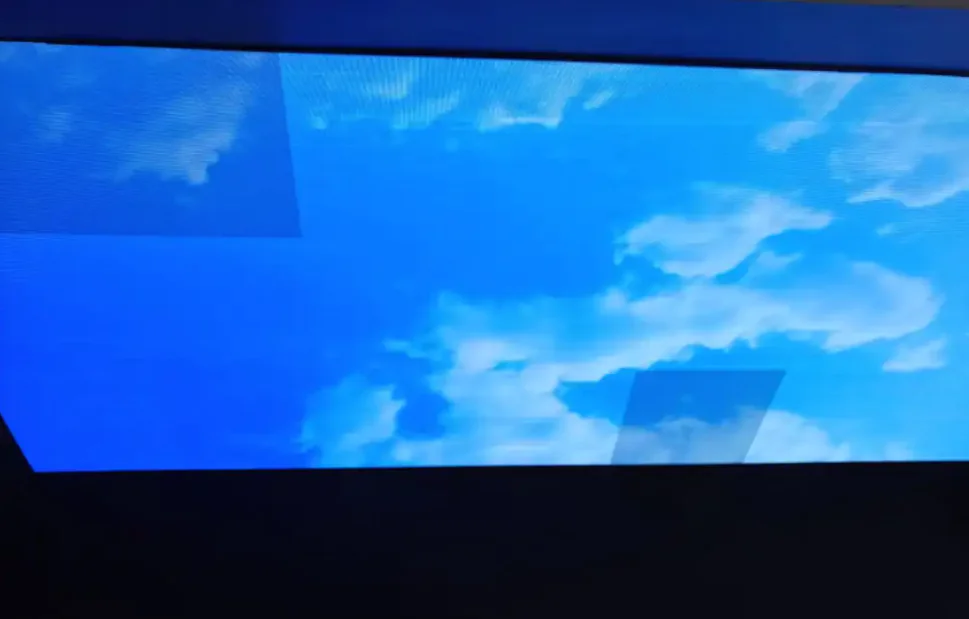
Drive ICs control bead current. Poor performance causes color fluctuations:
– Unstable current output:
IC aging, poor heat dissipation , or low quality leads to current fluctuations. Suppose the designed current is 20mA. If the actual current will vary ±3mA. Bead brightness fluctuates. It will cause color drift. The color deviation will be worsens when brightness spikes.
– Insufficient gray scale:
Low-end drive ICs have a gray scale below 16bit . They can’t achieve smooth color transitions. You’ll see “color block division” or “color banding.” For example, a clear boundary appears when transitioning from red to orange. Visually, this looks like “impure color.”
Problems with Control Card & Signal Transmission
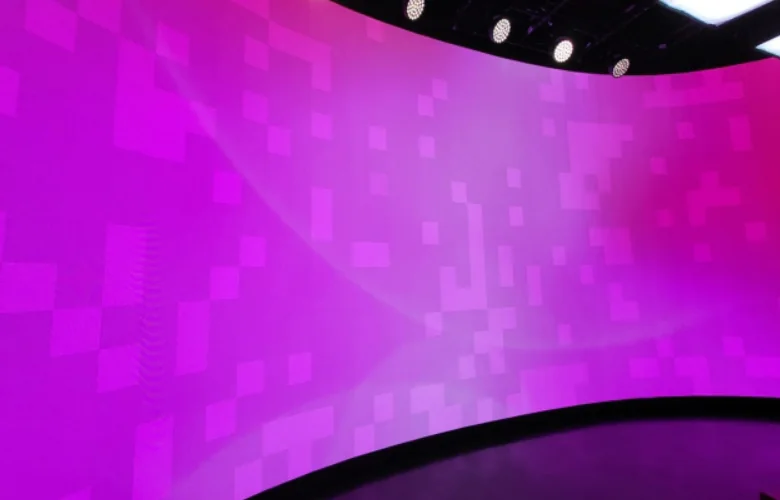
Control cards decode input signals and send them to the drive board. Signal issues cause color data errors:
– Abnormal data transmission:
Poor contact between the control card and drive board is a common issue. Long signal transmission also causes problems. Color data is lost or corrupted. Random mixed colors appear. It is like flashing color noise in parts of the screen.
– Deviated control parameters:
“White balance parameters” or “color gamut settings” in the control card may be uncalibrated or modified by mistake. For example, setting red gain too high makes the whole screen look red. Mismatched color spaces also cause deviation. Blue may look cyan, for instance.
Unstable Power Supply
Power supply fluctuations disrupt bead and IC operation. It will affect color presentation:
– Voltage/current fluctuations:
Power supply aging or overloading causes issues. Standard output voltage is 5V. Fluctuations over ±0.5V or sudden current spikes/drops are problematic. Low voltage makes drive ICs underpowered. Bead brightness drops, and color saturation decreases. High current makes beads too bright. The accelerates decay and causes color deviation.
Optical & Structural Issues:
The screen’s optical components and physical assembly affect light mixing. This leads to impure colors.
Abnormal Optical Properties of Mask/Lens
Masks protect beads. Lenses optimize light propagation. Material or condition issues filter or scatter light:
– Material and process differences: Transmittance and dispersion vary between masks/lenses. For example, some mask areas may turn yellow. This filters specific wavelengths. The yellow masks absorb blue light. Local color deviation occurs. The area may look red or yellow.
– Dirt and scratches:
Dust or oil on the mask or scratches cause local light scattering. This disrupts the three-color mixing ratio. “Dirty colors” appear. It is like gray or dull areas.
Invalid White Balance Calibration
White balance is the baseline for color reproduction. The standard ratio is roughly R:G:B ≈ 3:6:1. Invalid calibration causes overall color deviation:
If the display isn’t calibrated at the factory, parameters are modified, or beads decay, white will be off. It may look blue or red. All colors are mixed based on white balance. A deviated white directly makes all colors impure. For example, blue-tinted white makes every color look blue.
Module Splicing Deviations
LED displays are made of multiple spliced modules. Parameter differences between modules cause color deviation:
Suppose adjacent modules have different brightness or color temperature. Module A has a white balance ratio of 3:6:1. Module B is 4:6:1. A clear “splicing seam color deviation” appears. Module A looks white, and Module B looks red. This makes the whole screen’s color uneven.
External Environment & Signal Source Influences
External signals or environmental interference “pollute” the display color.
Distorted Input Signal
Displays faithfully show input signals. Signal source issues directly cause abnormal colors:
– Original material color deviation:
Wrong white balance during shooting or over-compressed videos make colors impure. The display just shows this flawed content.
– Mismatched color spaces:
For example, the signal source is DCI-P3 wide color gamut. The screen is set to sRGB narrow color gamut. Some colors can’t be reproduced. Dark green may look light green. ”
Strong Ambient Light Interference
Ambient light mixes with screen light. It will change how the human eye perceives color:
– Direct strong light:
Sunlight or bright spotlights weaken the screen’s contrast. The human eye’s sensitivity to blue decreases with brightness. Blue is weakened in strong light.
– Impure ambient light:
Yellow lights or red neon signs mix with screen colors. For example, yellow light shines on a white screen. The screen looks pale yellow.
Harsh Environments Accelerate Aging
High temperature, high humidity, and dust accelerate hardware decay.
– High temperature/humidity:
Temperatures over 40℃ or humidity over 80% RH speed up bead and IC aging. Performance parameters drift faster. The beads decay more quickly.
– Dust accumulation:
Dust enters modules and piles on beads. The scatters light and reduces color saturation. Red may look pink, for example.
Practical Guide:
If your LED display has impure color issues, you can follow these steps to locate the cause quickly:
Local color deviation/mixed colors:
First, you can check the beads in the affected area. Use a magnifying glass to see if they’re damaged or blackened. Then check the drive IC. You can touch it to see if it’s overheated. Finally, check the cables for looseness or oxidation.
Overall color deviation:
You can prioritize checking the control card’s white balance parameters, such as enteing the control software to calibrate R/G/B gain. Check the color gamut setting to match the signal source’s color space. Also, you can use a multimeter to test if the power supply voltage/current is stable.
Viewing angle color deviation:
It is likely due to poor bead angle consistency. You can replace beads with the same batch. It could also be abnormal mask optical properties.
Final Thoughts
LED displays Impure colors are rarely caused by a single factor. They usually come from hardware, drive control, optics, or the environment. If you can follow the troubleshooting steps above, you can gradually find the core cause.
If you’re still unsure after troubleshooting, you can consult our professional technicians. They can provide customized solutions based on your display model and usage scenario.