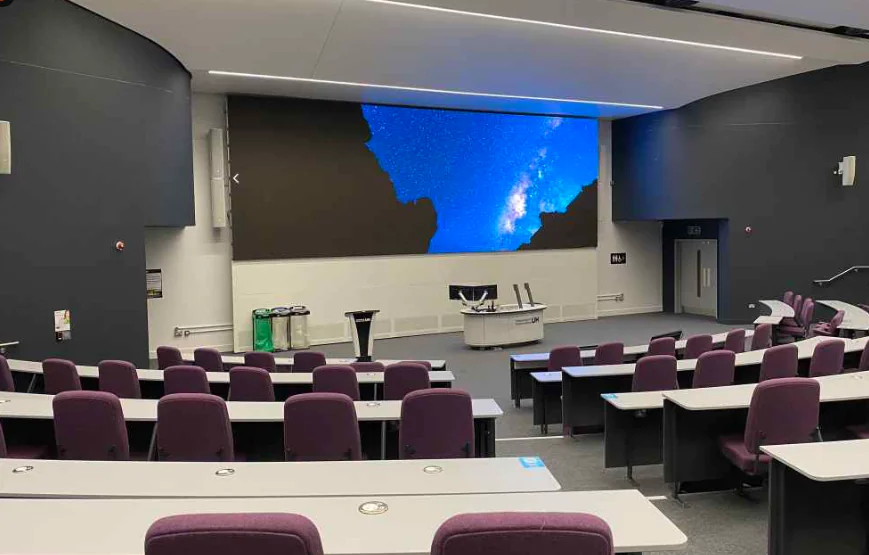
The lecture hall is approximately 26.8m long and 18.8m wide. This design aims to meet the needs of school faculty for large-scale conferences, work reports, cultural performances, training sessions, information releases, and other functions.
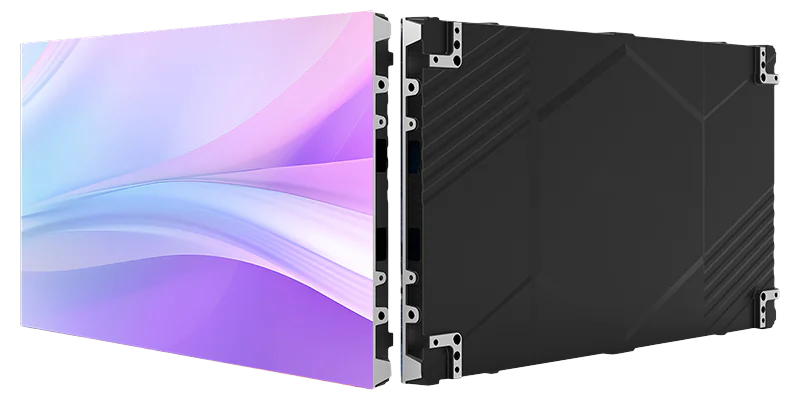
LED Display System (Visual Display)
- Stage Lighting System
- Professional Sound Reinforcement System
- Digital Conference System
- Central Control System
- Conference Recording & Broadcasting System
Detailed System Design
LED Display System
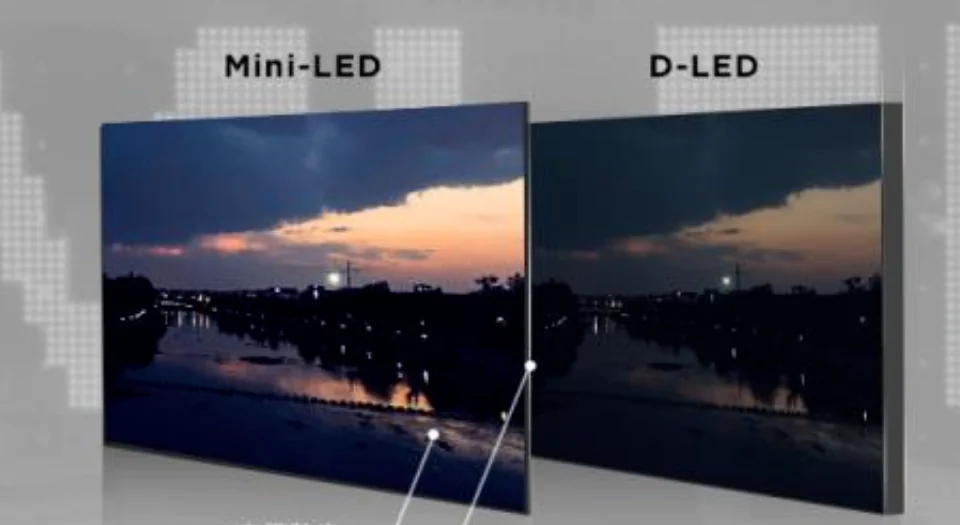
1) System Overview
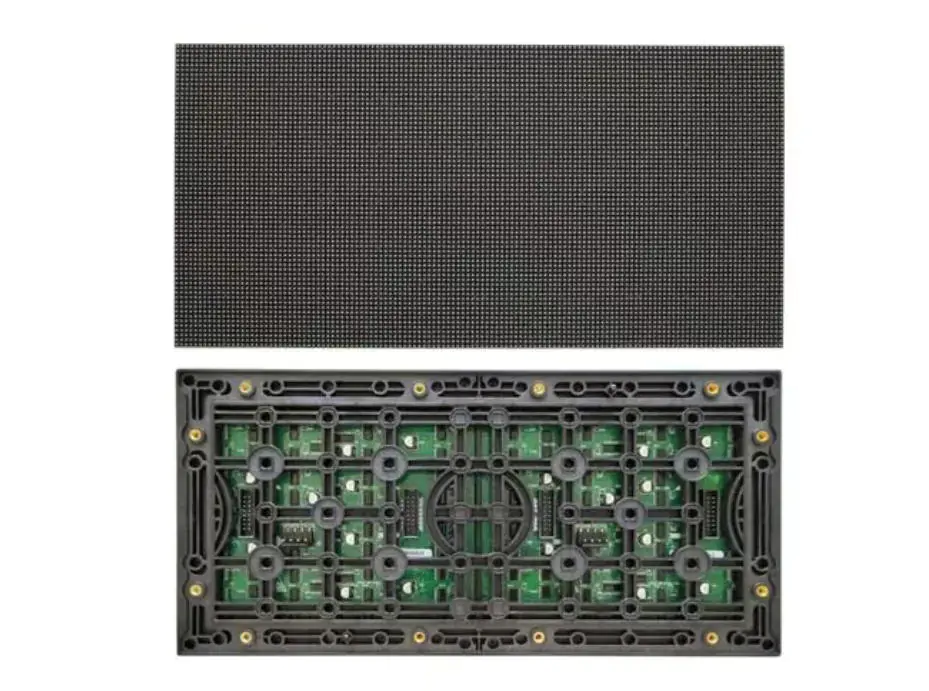
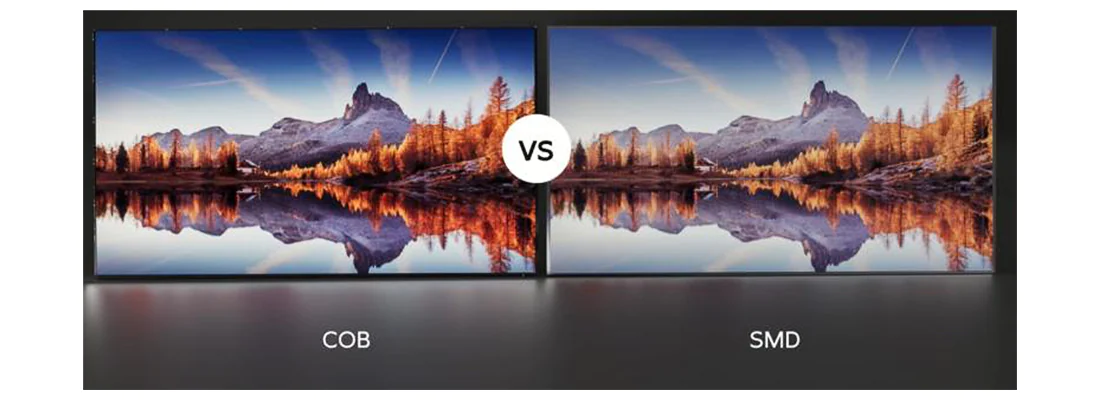
With the maturity of LED display technology, they are now extensively used in large-scale galas, important events, monitoring, command centers, broadcasting, performance stages, meeting rooms, lecture halls, etc.
2) System Configuration
| Item | Description | Details |
|---|---|---|
| Main Screen Configuration | Quantity | 1 set |
| Net Size | 5.76m * 2.56m = 14.746m² | |
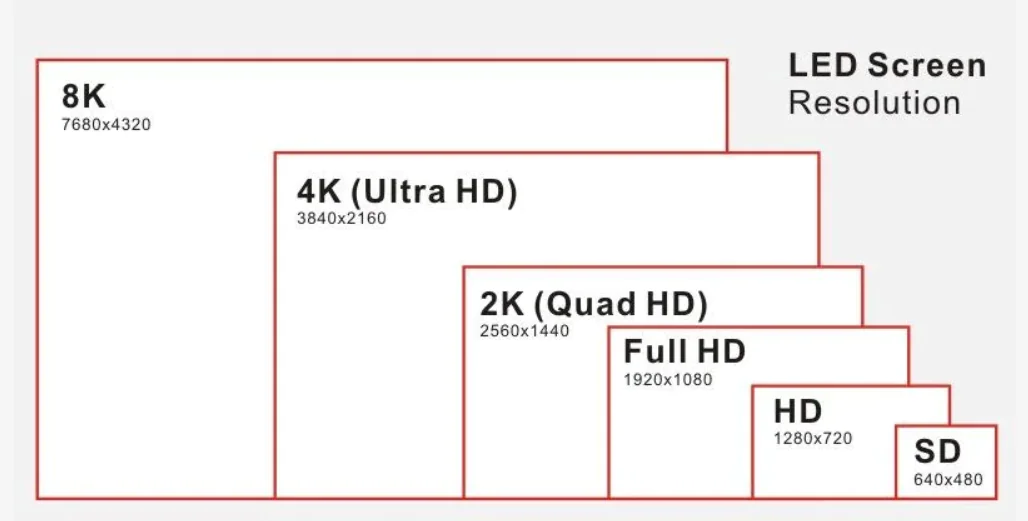
| Screen Resolution | 2304 * 1024 | |
| Banner Screen Configuration | Quantity | 1 set |
| Net Size | 11.248m * 0.456m = 5.129m² | |
| Screen Resolution | 2368 * 96 | |
| Video Processor Configuration | Function Requirements | Meet the needs of video signal windowing, overlaying, stretching, roaming, cross-screen, scaling, or picture-in-picture functions. |
| Matrix Input/Output | Matrix input can be connected to external signal sources such as cameras, computers/DVD players, etc. Matrix output is connected to LED sending boxes and other devices. |
Matrix inputs can connect to external signal sources like cameras, computers/DVD players, etc., while matrix outputs connect to LED transmitter boxes and other equipment.
3) System Features
- Ultra-Clear Lossless Technology
- Natural Color Reproduction
- Internationally Leading Point-by-Point Calibration
- Intelligent Brightness Adjustment & High Energy Efficiency
- Ultra-Wide Viewing Angle, No Dead Spots
- Suitable for Close-Range Viewing
- Single-Point Brightness Calibration
- Image Noise Reduction
- Image Sharpening
- High Refresh Rate
- Realistic and natural.
- High Precision, More Complete Images
- Dual Signal Backup, Reducing Blackouts
Stage Lighting System
1) System Overview
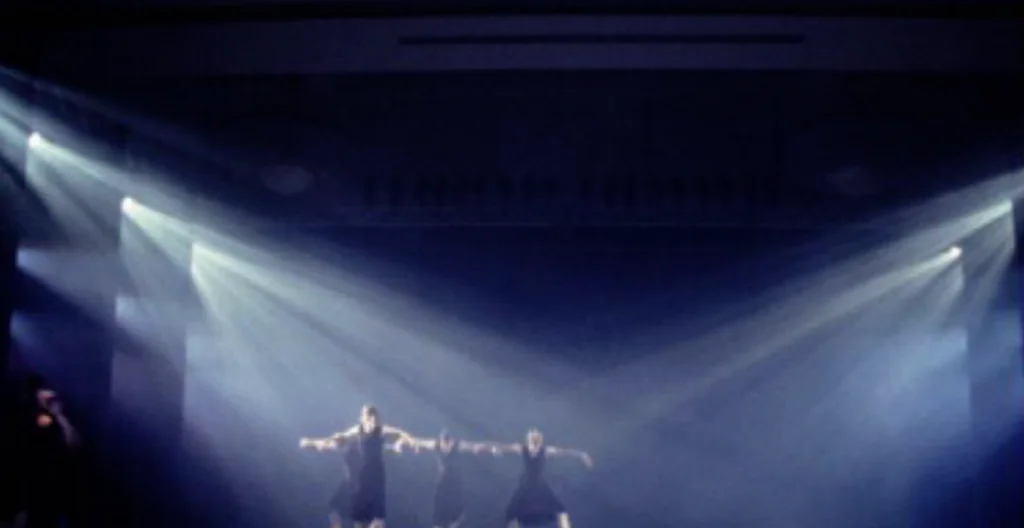
The stage lighting system is one of the artistic means in stage design. Using stage lighting equipment and technical methods. it uses light color to establish a sense of space and time on stage, shape the external image of the performance, and provide necessary lighting effects .
2) System Configuration
| Item | Description | Details |
|---|---|---|
| Front Lights | 200W PAR Cans | 14 units |
| Side Lights | 61*3W PAR Cans | 14 units |
| First Overhead (First Electric) | 61*3W PAR Cans | 11 units |
| 300W Flat Soft Lights | 10 units | |
| Second Overhead (Second Electric) | 61*3W PAR Cans | 11 units |
| 300W Flat Soft Lights | 10 units | |
| Third Overhead (Third Electric) | 61*3W PAR Cans | 11 units |
| 280W Moving Head Lights | 8 units | |
| Fourth Overhead (Fourth Electric) | 61*3W PAR Cans | 11 units |
| 280W Moving Head Lights | 10 units | |
| Atmosphere Enhancement | 1500W Fog Machines (Adjustable Angle) | 2 units |
| 100W Bubble Machines | 2 units |
3) System Features
- Front Light: Serves as the main frontal light for the performance area, primarily illuminating the front stage. It provides frontal lighting for performers, aids in character modeling, and creates a three-dimensional effect for stage objects.
- Overhead Light: Overhead lights are installed above the stage at intervals of approximately 1.2M-2.0M.
- Power is supplied via multi-core cable drops from the stage grid. Cable troughs are on both sides of the lighting battens. Fixtures are hung below the battens. Their purpose is to provide necessary illumination for the performance space along the stage depth.
- Overhead lighting includes front light and backlight, which can be arranged overlapping on the same batten. Fixtures can be configured based on performance needs.
- Side Light: Side lights create a sense of light direction from the sides of the stage, adding depth and three-dimensionality for actors in the main performance area. They can serve as auxiliary lighting for actors’ faces, enhance set layering, and contribute to the modeling and atmosphere of characters and the stage environment. Factors like projection angle, direction, distance, fixture type, and wattage create various side lighting effects.
Digital Conference System
1) System Overview
The digital conference system employs digital audio transmission technology. When used with PC control software, central control systems, and other conference equipment, it enables modern high-tech meetings. It has simple wiring, easy operation, and strong confidentiality. It is widely used in various venues like round-table meeting rooms, rectangular-table meeting rooms, multi-function halls, banquet halls, and lecture halls.
2) System Configuration
| Item | Description | Details |
|---|---|---|
| Main Unit | Conference System Main Unit | 1 unit to implement core system functions and manage speaking units |
| Chairman Unit | Wireless Chairman Unit with Priority Override Function | 1 unit, placed on the conference table |
| Delegate Units | Wireless Delegate Units | 9 units, placed on the conference table |
| AP Transmitter | Conference AP Transmitter | 1 unit for communication between the main unit and wireless microphone units |
| Audio Enhancement | Digital Feedback Suppressor | 1 unit to improve sound quality and increase pickup distance |
3) System Features:
- Unique Phase Control Technology: Phase control allows independent adjustment of any microphone’s input and output. Audio can be output to any channel in any volume proportion.
- Phase control output enables a “ducking” function. Ducking refers to when a person is speaking live, but speakers are installed behind them. The sound from these speakers can easily feed back into the microphone, creating an audio loop and severe howling (feedback).
- Phase control allows individual control of microphone input and output, enabling volume reduction for speakers nearest the microphone while maintaining normal volume for farther speakers, reducing feedback. It also helps achieve consistent sound pressure levels from each speaker to the listener’s ears, ensuring uniform sound field coverage.
- Professional DSP Processing Technology: Each microphone channel has its own DSP processor with 5-band EQ, delay, volume adjustment, and audio matrix capabilities. The main unit output features 10-band EQ. All input and output signals have EQ adjustment for high-fidelity, perfect sound quality.
- Multiple Backup Mechanisms: The conference main unit can be paired with digital-analog dual-backup microphones for microphone backup. If the primary digital link fails, microphones can switch to the backup analog line for transmission, ensuring the conference proceeds. The system can also use daisy-chaining with connection boxes to form a second loop. If the first loop fails, microphones transmit via the second loop to the main unit, safeguarding the meeting.
- Ultra-Low Latency: Uses data transmission technology to effectively reduce audio transmission latency to 5ms (latency halved, speed increased by 240%), achieving excellent sound quality.
- Dual Microphones per Seat: This scenario is for important occasions where a speaker needs two microphones for simultaneous pickup. It utilizes audio clock synchronization transmission technology within the main unit to automatically process audio delay from the speaker’s microphones, ensuring synchronized output. This prevents overlapping audio (double sound) from speakers when using two microphones. Currently, this only supports using two microphones of the same model per seat, not mixed models.
- Speech-to-Text: Supports speech-to-text functionality, allowing mixed use of wireless and wired microphones for transcription. It is a feature not yet offered by other manufacturers. One conference main unit currently supports up to 16 channels for speech-to-text; exceeding this requires adding a role separation host for expansion. The company has its own speech-to-text server and encoders, offering multiple encoder options, enabling speech-to-text without relying on third-party services like iFlytek. All units and interpreter units can also perform digital recording, save meeting minutes, and aid translation error checking.
Professional Sound Reinforcement System
1) System Overview
The professional sound reinforcement system mainly consists of speakers, power amplifiers, audio processors, mixing consoles, microphones, and audio sources.
It is designed according to the Grade I standard for speech reinforcement specified in “Acoustical Characteristics Design Requirements for Hall Sound Reinforcement Systems” ,ensuring speech clarity, no distortion, sufficient sound pressure headroom, uniform sound field distribution, and no acoustic feedback howling during presentations.
(2) System Configuration
| Category | Item | Description | Details |
|---|---|---|---|
| Main Line Arrays | Full-Range Line Array Speakers | 10-inch LF (500W) + HF (80W) | 2 arrays × 4 units each (total 8 units) |
| Low-Frequency Line Array Speakers | 12-inch LF (400W) | 2 arrays × 1 unit each (total 2 units) | |
| Power Amplifiers | Professional Amps | Full-range: 4 × 2×700W + 2 × 2×200W Low-frequency: 1 × 2×700W | |
| Auxiliary Speakers | Auxiliary Speakers | 300W | 4 units installed on side walls |
| Power Amplifiers | Professional Amps | 2 × 2×500W | |
| Stage Monitors | Stage Monitor Speakers | 400W | 2 units placed on floor |
| Power Amplifiers | Professional Amp | 1 × 700W | |
| Subwoofers | Mobile Subwoofer Speakers | 600W | 2 units placed on floor |
| Power Amplifiers | Professional Amp | 1 × 2×900W | |
| Sound Pressure Level | Meets national Grade I standards for conference reinforcement and performances | ||
| Amplifier Power Configuration | Strictly configured at 1.5× speaker power rating | ||
| Audio Control | Mixing Console | 24-channel, 4-bus | 1 unit |
| Audio Processor | Provides audio interfaces and sound effects processing | 1 unit | |
| Wireless Microphones | For conference hosting and mobile speaking | 2 sets | |
Central Control System
1) System Overview
The central control system is the core of the intelligent multimedia conference room design. It integrates control over lighting, mechanical devices, projection, and audio-visual equipment into one interface. It provides users with a simple, direct control interface, allowing them to easily manage the status and functions of all devices in the environment.
2) System Configuration
| Category | Item | Description | Details |
|---|---|---|---|
| Central Control System | Network Central Control Host | Centralized control of audio, video, lighting, and other systems | 1 unit |
| Wireless Touch Panel | For wireless operation of the control system | 1 unit | |
| Wireless Router | Provides wireless network connectivity | 1 unit | |
| Power Manager | Controls high-power equipment | 1 unit | |
| Control Software | Custom programmed on-site by manufacturer based on actual requirements | 1 set | |
| Supporting Accessories | Cables, connectors, mounting brackets, etc. | Complete set | |
3) System Features
- Bidirectional Feedback: Allows operators to see the on/off status of all devices at a glance on an intuitive touch interface, significantly reducing workload and improving efficiency.
- Cascading & Inter-control: Multiple network central control hosts can be networked for cascaded control, achieving interconnection, mutual control, and linked switching. A single touch panel can control multiple central control units, supporting up to 250 units.
- Network Control: The network central control host controls third-party network devices via TCP/UDP protocols.
- Data Backup: The control panel features a 4.3-inch display. Inserting a TF card allows for program data backup and import.
- Scene-Based Management: Scenes are pre-programmed in the backend (based on project needs). On the tablet, a single tap executes all linked actions and switches for a scene, avoiding cumbersome operational steps.
Conference Recording & Broadcasting System
1) System Overview
The conference recording and broadcasting system is an integrated information product combining multiple functional modules: image capture, recognition/tracking, video recording, online live streaming, resource on-demand playback, and virtual chroma keying.
2) System Configuration
1 conference recording and broadcasting host unit to implement recording functionality for meeting content.
3) System Functions
- Large Capacity Storage: The host has built-in 2TB storage, allowing recording storage for up to 1500 hours, supporting frequent use for over a year. Supports automatic deletion of old files for cyclic recording.
- “One-Cable Solution”: SDI video interfaces feature Power over Coaxial (PoC) functionality, supporting adaptive recognition of PoC devices, enabling video transmission, PTZ control, and power supply over a single cable.
- Rich Interfaces: The host has 3 HDMI inputs/outputs and 4 SDI inputs for capturing external sources and connecting to displays; 5 USB ports for external drives, keyboards, mice; 6 control ports for integrating third-party devices for centralized control.
- Eight Camera Inputs: Besides connecting five camera feeds, it can additionally connect three IPC camera feeds, enabling 8-channel video recording to meet various application needs.
- 4K Quality: Uses 4K cameras for capture. The host uses pure hardware DSP processing with H.264 HP protocol for codec, adjustable bitrate (256kbps ~ 12Mbps), supporting recording resolution up to 4K.
- High-Fidelity Audio: Utilizes microphones with wide frequency response, high SPL, and fast transient response for pickup. Coupled with professional audio processor algorithms for noise suppression, auto-equalization, intelligent mixing, and echo cancellation. Finally, the host encodes audio using AAC HD encoding with a sampling rate up to 48kHz, achieving CD-quality recording.
- Flexible Setup: Before recording, users can add video or images as a title sequence with customizable duration.
- During recording, users can flexibly set various screen layouts (3-screen, 4-screen, dialogue view, etc.) for different recording effects. Switching between layouts can include 12 transition effects (fade, wipe, push, expand, fly-in, etc.).
- Can also add company/government logos and names. Supports manual switching via production software or fully automatic switching with the built-in auto-production module.
- Multi-Stream Recording: Recorded video can be saved in multiple formats (MP4, AVI, MOV, FLV, MKV) using multi-stream, multi-picture recording. Allows each input signal to be saved as a separate file for video editing, supporting up to 5 simultaneous video recordings.
- Speech-to-Text: Can integrate with speech-to-text systems to convert speech into text, automatically generating subtitles.
- Virtual Chroma Keying: Extracts subjects from green/blue screen backgrounds and composites them with 2D virtual backgrounds into a single video stream.
- Scheduled Recording: After editing the recording schedule, the system automatically records at times, generating filenames with information like venue, speaker, and topic.
- Online Live Streaming: Supports simultaneous live streaming to up to 50 users on the LAN. Uses standard RTMP protocol to push streams to cloud servers for internet-wide live.
- Automatic Backup: Supports automatic upload/backup of files. Can work with third-party FTP servers to automatically push recordings. File upload/download can auto-adjust bandwidth to prevent network congestion.
- Video Repair: If recording is interrupted due to power failure or system crash, damaging the video file and making it unplayable, the host can repair the file, avoiding loss or the need for re-recording.
- One-Key Reset: In cases of file corruption, lost IP address, or lost administrator password, a one-key reset restores the system to its initial state, ensuring normal operation.
- Permission Management: Supports user group management. Each user can be assigned account permissions. Authentication and authorization are required to watch live streams or access on-demand files. Users can only access files they are authorized for.
- Software Central Control: By entering central control commands in the recording system management interface, users can perform central control operations through the interface, enabling one-touch control of other integrated devices.