In the digital age, video walls have become the core display tool in the commercial display, corporate conference, public information release, etc. With the iteration of technology, users’ demand for display effect, reliability and flexibility continues to increase.
Traditional LCD splicing screens have long dominated the market, but in recent years, a new generation of COB technology screens is rapidly rising.
SightLED will guide you the differences between COB LED display screens and LCD splicing screens. You can easily decide whether you want to upgrade your video wall.
4K COB Display Price in 2026
One of the most common questions from buyers is: “How much does a 4K COB video wall cost?”
The final price depends on several factors, including pixel pitch, screen size, control system, installation structure, and maintenance requirements.
Below is the typical 2026 indoor COB LED display price range for reference:
| Pixel Pitch | Recommended Viewing Distance | Approximate Price Range |
| P0.9 COB | 1m – 3m | USD 6,000 – 12,000/㎡ |
| P1.2 COB | 2m – 4m | USD 3,500 – 6,500/㎡ |
| P1.5 COB | 3m – 5m | USD 2,500 – 4,500/㎡ |
| P1.8 COB | 4m – 6m | USD 1,800 – 3,500/㎡ |
The total project budget usually includes:
- COB LED display modules
- Video processor
- Sending cards and receiving cards
- Steel structure
- Power supply system
- Installation and commissioning
- Spare modules
- Shipping cost
- Flight case or wooden case packaging
For high-end projects such as command centers or XR virtual production studios, additional costs may include:
- Redundant power supply
- Backup signal system
- HDR processing
- Genlock synchronization
- Audio-video integration
- Intelligent control platform
What is COB LED display screen?
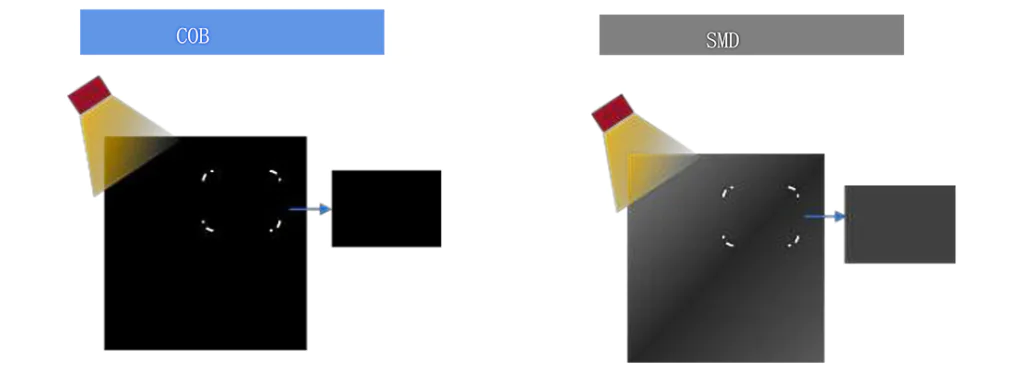
COB is an advanced LED packaging technology. Its core is to directly bind the LED chip to the circuit substrate and encapsulate it into an integrated light-emitting unit through fluorescent glue. Unlike traditional SMD LEDs, COB technology eliminates the step of independent lamp bead packaging. Therefore, the LED display screen has a smaller pixel pitch and higher density, while significantly improving reliability and protection.
The 4K COB display refers to a COB LED screen with a resolution of 3840×2160 pixels. It has ultra-HD picture quality and seamless splicing characteristics, making it the preferred solution for high-end video walls.
Advantages of COB LED display
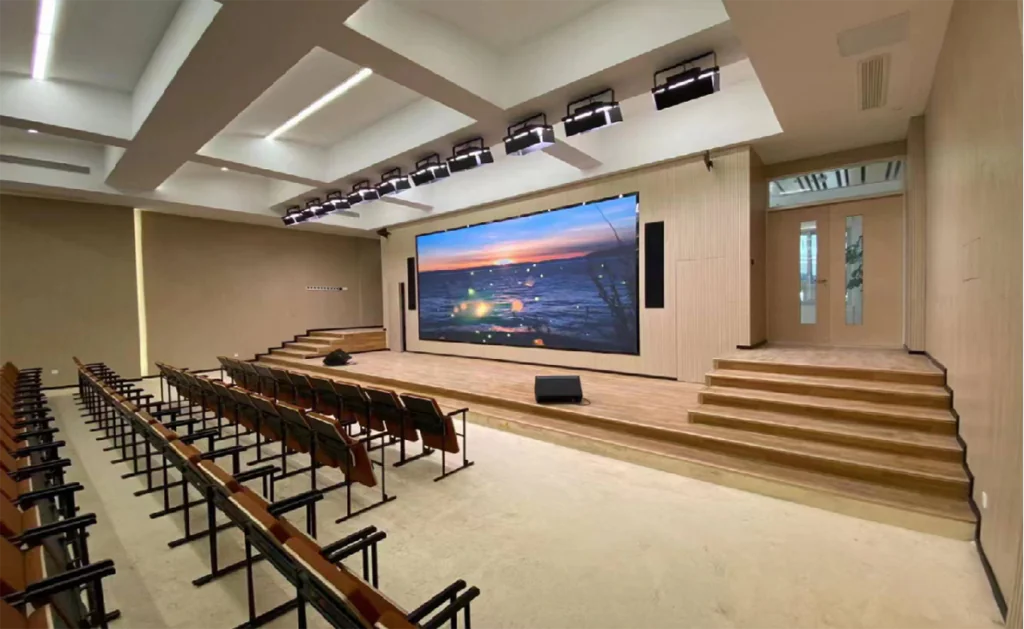
Seamless display, eliminating visual interference
The biggest pain point of LCD splicing screens is the physical borders between screens (usually 0.88mm to 3.5mm). Even if you use an ultra-narrow bezel design, multiple screens will still form an obvious “grid effect” after splicing, destroying the integrity of the picture.
The COB display can achieve true seamless splicing through an integrated packaging process. No matter how large the screen is, the picture is always consistent. They are especially suitable for scenes that require an immersive experience.
Ultra-high contrast and color performance
The COB video wall uses self-luminous LED technology, with a contrast ratio of more than 10,000:1, which is much higher than the 1,000:1 of LCD screens. It supports a wider color gamut range (such as DCI-P3), can accurately restore deep black and bright details. In addition, its advantages are particularly obvious when playing HDR content.
Excellent reliability and lifespan
Due to the elimination of the bracket structure of traditional LED lamp beads, the anti-collision, moisture-proof and dust-proof performance of COB display screens are greatly improved, and the heat dissipation efficiency is higher. Its average lifespan can reach more than 100,000 hours (LCD is about 60,000 hours), and the brightness decay is lower after long-term use, and the maintenance cost is significantly reduced.
Flexible adaptation to complex environments
COB LED display screens support modular splicing. It can freely customize curved, special-shaped or oversized video walls. At the same time, its surface has no glass structure and low reflectivity, so that it can still maintain clear visibility in strong indoor light environments.
Low power consumption and silent operation
The energy efficiency of COB technology is about 30% higher than that of traditional LED. You do not need to equip it with a cooling fan, and it is almost noiseless during operation. Therefore, they are very suitable for scenes with silent requirements such as conference rooms and studios.
| Indicator | 4K COB Display | LCD Tiled Display |
|---|---|---|
| Tiling Effect | Completely seamless | Physical bezels present (0.88mm – 3.5mm) |
| Contrast Ratio | 10,000:1 and above | 1,000:1 – 5,000:1 |
| Brightness | 600 – 2,000 nits (adjustable) | 300 – 700 nits |
| Viewing Angle | 170° – 178° | 160° – 178° |
| Maintenance Cost | Modular repair, no need to replace the entire screen | Single screen failure requires overall disassembly |
| Typical Applications | High-end exhibition halls, command centers, XR virtual shooting | Meeting rooms, retail stores, surveillance rooms |
Which Video Wall Technology Fits Your Application?
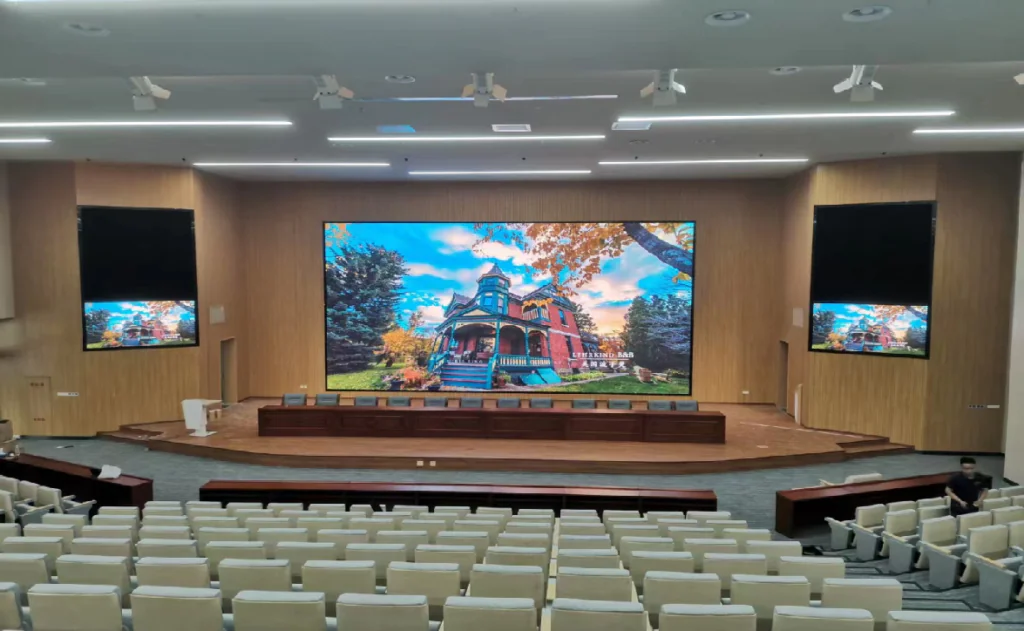
How to Choose between COB LED and LCD splicing screens ? It isn’t just about technical specs.it’s about how your space is used, who the audience is, and what content you need to display. You can Use this to find the best match.
Scenario 1: High-End Corporate Boardroom or Auditorium
- Priorities: Seamless visual, video conferencing, bright ambient light, silent operation.
- Recommended Solution: COB P0.9–P1.2, 600–800 nits, front maintenance.
- Why: Completely seamless image ensures a professional appearance during presentations. Fanless design and low reflectivity perform well under downlights, and the screen can smoothly display 4K slides, spreadsheets, and video calls.
Scenario 2: Brand Experience Center or Museum
- Priorities: Immersive storytelling, accurate colors, curved walls, long operating hours.
- Recommended Solution: COB P0.9–P1.5, HDR support, custom curved modules.
- Why: COB’s high contrast and wide color gamut (DCI-P3) bring exhibits to life. Modular design can be built into concave/convex shapes without image distortion caused by bezels.
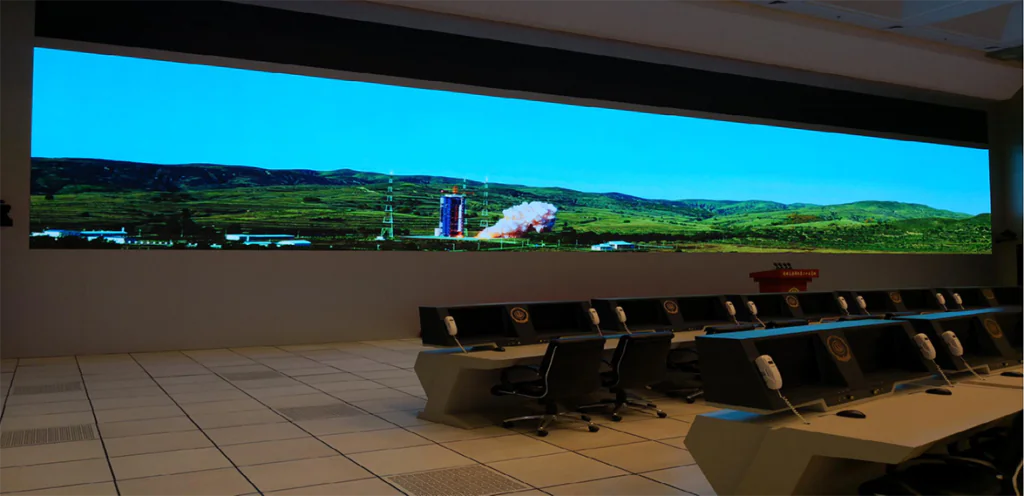
Scenario 3: Control Room or Traffic Monitoring Center
- Priorities: 24/7 reliability, heat management, pixel-level detail, remote monitoring.
- Recommended Solution: COB P1.2–P1.8, 1,200 nits, SNMP monitoring, redundant power.
- Why: COB’s superior heat dissipation and 100,000-hour lifespan support continuous operation. The absence of bezels eliminates data misinterpretation caused by grid lines, and the anti-glare surface reduces operator eye fatigue.
Scenario 4: Retail Mall Atrium or Airport Concourse
- Priorities: High brightness to combat sunlight, semi-outdoor protection, large size with reasonable budget.
- Recommended Solution: COB P1.8–P2.5 with IP54 front, or ultra-narrow bezel LCD if budget is the primary constraint and ambient light can be controlled.
- Why: COB provides consistent brightness up to 2,000 nits and resists dust and moisture. When budget is very tight and the screen is not the main focal point, a 0.88mm bezel LCD wall can still be considered, but expect visible seams at close range.
Scenario 5: XR Virtual Production Studio
- Priorities: High refresh rate, genlock, low latency, accurate color, low moiré.
- Recommended Solution: COB P1.5–P2.5 with 7,680Hz+ refresh, 16-bit grayscale, genlock input.
- Why: COB surface emits uniform light and drastically reduces moiré pattern issues compared to SMD LEDs, and the high refresh rate ensures smooth camera tracking with no scan lines.
How to upgrade your video wall with COB screen?
If you wan to upgrade the video wall, but this is not a simple matter. It involves various aspects such as technology selection, system design and cost control. We provide you with a highly operational upgrade solution from demand assessment to implementation.
Step 1:In-depth evaluation of needs
Environment type:
Indoor (such as conference rooms, exhibition halls): You can give priority to COB screens with a brightness of 600~1,000 nits to avoid visual fatigue caused by high brightness.
Semi-outdoor (such as shopping mall atriums, airport bridges): You need to choose models with a protection level of IP54 or above, and the brightness is increased to 1,200 nits to combat ambient light.
Running time:
If you need to run 24/7 (such as traffic control centers), you need to confirm the heat dissipation design of the COB screen and the stability of the driver IC to avoid color deviation caused by long-term high temperature. We recommend that you choose products that support “pixel-level brightness compensation” technology.
Content type matching
Static content (such as data dashboards): The refresh rate requirements are low, and you can choose economical COB modules (such as P1.5~P2.0).
Dynamic video (such as commercials, live broadcasts): You need to choose models with high refresh rates (≥3,840Hz) and high grayscale levels (16bit) to avoid screen tearing or color faults.
Budget Planning
| Item | LCD Splicing Screen | COB Screen |
|---|---|---|
| Unit Price | USD 1,800 /㎡ | USD 5,000 /㎡ |
| Maintenance Cost (5 years) | USD 500 /㎡ (backlight replacement, frame adjustment) | USD 100 /㎡ (partial module replacement) |
| Total Cost (5 years) | USD 2,300 /㎡ | USD 5,100 /㎡ |
| Cost Advantage | Lower initial cost | Lower maintenance and long-term cost |
Hidden costs: including structural modification (such as load-bearing reinforcement), cooling system (air conditioning energy consumption) and content production (4K materials need to be developed by professional teams).
Real-World 4K COB Video Walls Price Examples
To help you estimate the investment more accurately, we give you several typical configuration costs, including screen, video processor, mounting structure, and standard installation. These are reference ranges based on SightLED’s global projects; actual price will be confirmed after survey.
| Screen Size (W×H) | Pixel Pitch | Resolution | Viewing Distance | Total Solution Cost (USD) |
| 4.8m × 2.7m (16:9) | P1.2 | 4K (3840×2160) | 3m – 5m | 85,000–105,000 |
| 6m × 3.375m (16:9) | P1.5 | 4K | 3.75m – 6m | 70,000–90,000 |
| 6.9m × 3.9m | P1.8 | Near-4K (custom) | 4.5m – 7m | 65,000–80,000 |
| 3m × 1.7m | P0.9 | 4K | 2.25m – 3.5m | 120,000–145,000 |
| 10m × 3m (ultra-wide) | P1.8 | 5K×1.5K | 4.5m – 8m | 110,000–135,000 |
Note: All prices include the LED display, a professional video processor ,such as Novastar VX series, front-maintenance wall-mount structure etc. Long-distance signal distribution or custom curved structures may add 10–15%.
Total Cost of Ownership Example: COB vs LCD Over 5 Years
Let’s compare a 6m×3m video wall (18㎡). It is operating 12 hours a day, 365 days a year. Electricity cost is assumed at $0.12/kWh.
| Cost Item | LCD Splicing Screen (1.8mm bezel) | COB LED Screen (P1.2) |
| Initial Hardware + Installation | $32,400 | $95,000 |
| Power Consumption (avg) | 9 kW | 6.3 kW |
| Annual Energy Cost | $4,730 | $3,310 |
| Cooling / Extra HVAC Cost (annual) | $1,200 | $350 (passive cooling) |
| Maintenance Cost (5 years) | $12,000 (backlight, bezel alignment) | $1,800 (module-level repair) |
| Total 5-Year Cost | $61,250 | $116,550 |
| Per-Year Visual Impact Loss (bezels) | Significant | None |
| Suitable for 24/7 Operation | Not recommended | Yes |
Although the initial purchase cost of COB LED display is higher, the gap narrows considerably over time. For mission-critical environments or high-end brand spaces, the visual upgrade and operational reliability often justify the difference within the first two years. For a custom TCO report based on your specific usage, please contact our team.
Step 2:Pixel pitch selection
Viewing distance formula
The relationship between pixel pitch (P value) and optimal viewing distance (D) is:
D (meter) = P (mm) × 2.5
For example:
The optimal viewing distance of P1.2 screen is 3 meters (1.2×2.5), at which time the human eye cannot distinguish pixel particles.
If the viewing distance is 5 meters, you can choose a P2.0 screen (saving 40% of the cost), which can still present a clear 4K effect.
2.2 Resolution adaptation
4K standard (3840×2160):
How Much Does a 6m × 3m 4K COB Video Wall Cost?
To help buyers better estimate project budgets, here is a typical example of a 6m × 3m indoor COB LED video wall solution.
Project Specification:
- Screen Size: 6m × 3m
- Total Area: 18㎡
- Pixel Pitch: P1.2 COB
- Resolution: 4K Compatible
- Application: Corporate showroom
- Installation Type: Wall-mounted front maintenance
Estimated Cost:
| Item | Estimated Cost |
| P1.2 COB LED Display | USD 63,000 – 90,000 |
| Video Processor | USD 2,000 – 5,000 |
| Steel Structure | USD 2,500 – 6,000 |
| Installation | USD 2,000 – 5,000 |
| Spare Modules | USD 1,000 – 3,000 |
| Shipping | Depends on country |
| Total Estimated Budget | USD 70,000 – 110,000 |
If the viewing distance exceeds 4 meters, buyers may choose P1.5 or P1.8 COB displays to significantly reduce project costs while still maintaining excellent visual quality.
For premium applications requiring ultra-close viewing or XR filming, we recommend you use P0.9 or smaller pixel pitch .
| Screen Type | Min Size (Width x Height, m) | Notes |
|---|---|---|
| P1.2 | 4.6 x 2.6 | (3.84×2.16) / 0.0012m/pixel |
| P1.8 | 6.9 x 3.9 | Suitable for large exhibition halls |
| Custom Res | Varies | Use “non-std 4K” (e.g., 2K mod. splice), need lossless stretch video processor. |
Economic comparison
| Pixel Pitch | Resolution (Pixels per Square Meter) | Unit Price (USD/㎡) | Applicable Scenarios |
|---|---|---|---|
| P0.9 | 1,234,567 pixels | 928,571 – 1,142,857 | Museums, Luxury Stores |
| P1.2 | 694,444 pixels | 571,429 – 785,714 | Corporate Exhibition Halls, Meeting Rooms |
| P1.8 | 308,642 pixels | 400,000 – 500,000 | Mall Atriums, Airport Information Screens |
P0.9 vs P1.2 vs P1.5 COB Display: Which Should You Choose?
Choosing the correct pixel pitch is one of the most important decisions for a COB video wall project.
| Pixel Pitch | Recommended Applications | Main Advantages | Considerations |
| P0.9 COB Display | Luxury retail stores XR virtual studios Museums High-end command centers | Ultra-fine image quality Best close-viewing performance Excellent HDR effect | Highest project cost Requires strict installation environment |
| P1.2 COB Display | Corporate meeting rooms Exhibition halls Broadcast studios Premium indoor displays | Excellent balance between image quality and budget Suitable for most 4K indoor applications Popular choice for high-end conference rooms | Slightly higher investment than P1.5 |
| P1.5 COB Display | Shopping malls Airport information displays Large indoor advertising screens | Lower overall cost Lower power consumption Suitable for medium-distance viewing | Not ideal for ultra-close viewing environments |
Step 3: System integration optimization
Video processing system
Core equipment selection:
Novastar VX600: supports 8K input and HDR dynamic mapping, suitable for ultra-high-definition high-end scenarios.
Signal transmission:
- Short distance (<30 meters): HDMI 2.1 optical fiber cable, supports 4K@120Hz lossless transmission.
- Long distance (>30 meters): SDVoE (software-defined video) solution, 4K low-latency distribution through IP network.
Maintenance structure design
Front maintenance structure: The module can be removed from the front, suitable for wall installation (space depth <15cm)
Intelligent control system
Adaptive dimming:
The light sensor monitors the ambient brightness in real time and automatically adjusts the screen brightness (such as 1,200 nits during the day and 600 nits at night), saving more than 30% energy.
Remote operation and maintenance:
Integrated SNMP protocol, which can monitor the temperature, brightness uniformity and bad pixel rate of each module, and warn of failures in advance. For example: A certain brand of COB screen automatically reduces the brightness and sends an alarm when the module temperature exceeds 65℃.
Practical case: Upgrade of the exhibition hall of a certain technology company headquarters
Pain points of the original system:
- The LCD splicing screen has obvious borders (1.8mm)
- The picture is split when playing product demonstration videos;
- Insufficient brightness (500 nits)
- Poor contrast under the lighting of the exhibition hall.
Upgrade plan:
- The customer chose our P1.2 4K COB screen (6m×3m).
- The LED screen has a brightness of 1,200 nits and supports HDR10.
- Integrated Novastar VX4K processor to achieve 8-channel signal picture-in-picture display.
- Adopts front maintenance structure to fit the original decorative wall.
Effect comparison:
- Customer stay time increased by 40%, and the interactive touch operation response speed increased to 8ms.
- 5-year estimated maintenance costs are reduced by 62% .
- Through the above three steps, you can not only avoid the inherent defects of traditional LCDs, but also upgrade the video wall to a digital asset that combines visual shock, long-term reliability.
More Success Stories
Case 2: Global Consulting Firm – Executive Boardroom Upgrade
Original Setup: 2×2 55″ LCD video wall with 3.5mm bezels, 500 nits.
Pain Points: Bezel grid visible across all seats; reflections from ceiling lights washed out presentations; LCD panels showed color mismatch after 18 months.
Upgrade: Installed a 5m×2.8m P1.2 COB 4K video wall with 800 nits and ambient light sensor.
Results:
- “No more grid” became the first comment from the board members.
- Automatic brightness adjustment keeps ideal visibility from 7am to 11pm.
- The integrated wireless presentation system reduced cable clutter completely.
- 5-year maintenance estimate reduced by 60%, and the client expanded to two more rooms within the same year.
Case 3: International Airport – Public Information Display Zone

Original Setup: 8×3 array of 46″ LCD screens forming a large information wall.
Pain Points: Frequent bezel misalignment requiring recalibration every quarter; condensation inside the panels in humid weather; power consumption drove high cooling costs.
Upgrade: Replaced with a 10.8m×3m COB LED screen (P1.8, IP54 front, 1,500 nits).
Results:
- Zero downtime in the first 18 months of 24/7 operation.
- Energy savings of 35% compared to the LCD wall, drastically cutting HVAC load.
- Information readability improved for passengers from 10 meters away, with no bezel interruption.
- Maintenance staff reported zero realignment calls, and module-level front access made potential repairs possible within minutes without scaffolding.
SightLED 4K COB Solution
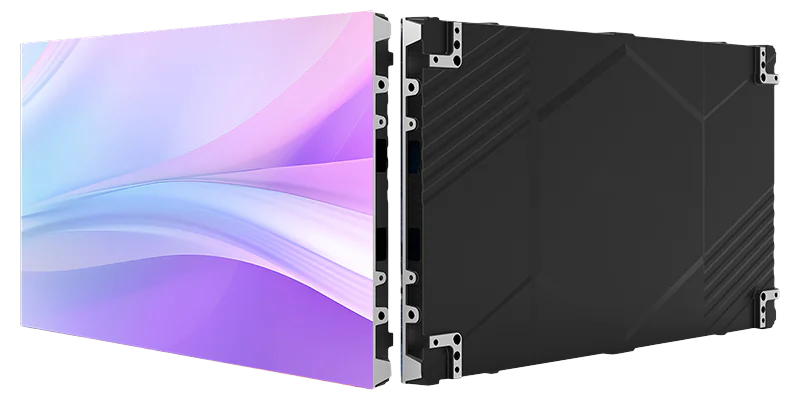
SightLED is a leading LED screen manufacturer.We have launched the latest generation of COB video walls. They have reached the top level in the industry:
Core technology:
- Using Micro COB packaging
- Pixel pitch as low as P0.6
- Support 8K resolution.
Innovative design:
- Module thickness is only 50mm
- Support front maintenance and cable-free splicing.
Smart ecosystem:
- Built-in AI picture quality engine
- Automatically optimize color and brightness consistency.
Conclusion:
We have introduced some knowledge about video walls. As for how to choose? You need to choose according to your actual budget and needs. In the future, as COB technology is mass-produced, its cost will further decrease.
We believe that it will gradually replace LCD video wall. For enterprises, early deployment of COB upgrades is not only a technological iteration, but also a strategic investment in brand image and user experience.
Take action now and contact us to get the latest customized 4K COB video wall solution opens a new era of visual upgrade!
FAQs:
What is the price of a 4K COB LED video wall per square meter?
The price depends on pixel pitch. As a reference, P1.2 COB screens are approximately 5,000–6,000 USD/㎡, while P1.8 can be around 4,000–5,000 USD/㎡.
How does the total cost of ownership compare between COB and LCD video walls over 5 years?
Although COB has a higher initial investment, its maintenance cost is significantly lower, power consumption is about 30% less. Over 5 years, the gap narrows considerably, and for 24/7 or high-end applications, COB often proves more economical when factoring in visual impact and reliability.
Which is better for a corporate meeting room: COB LED or LCD splicing screen?
For high-end boardrooms and executive meeting rooms, It is recommended COB LED display. It has seamless image, excellent anti-glare surface, and silent fanless operation. LCD LED display still is an option for budget-constrained standard meeting rooms.
What pixel pitch should I choose for a viewing distance of 3 meters?
Use the formula: Viewing Distance (m) = Pixel Pitch (mm) × 2.5. At 3 meters, you can choose a P1.2 screen. P1.5 is also acceptable if it is a very limited cost.
Do you offer a front-maintenance solution for space-constrained walls?
Yes. Our COB modules are only 50mm thick. It can be removed from the front with a magnetic tool.
What is the typical lifespan of a COB LED display compared to LCD?
COB LED screens have an average lifespan exceeding 100,000 hours, whereas typical LCD panels are rated around 50,000–60,000 hours.
How do I integrate a 4K COB video wall with our existing Crestron or AMX control system?
We provide control protocol documentation for all our video processors. Standard RS232, TCP/IP, and SNMP interfaces allow seamless integration with major third-party control systems. Our support team can assist with driver configuration.
What is the minimum order quantity and typical lead time?
There is no strict minimum order quantity for standard LED cabinet. You can start from 1 square meter. For custom-sized 4K walls, our lead time is usually 4–6 weeks, plus shipping.
What kind of warranty do you offer for COB LED displays?
We provide a standard 2-year warranty covering module failure and dead pixels exceeding our guaranteed rate.
Is a 4K COB display bright enough for rooms with high ambient light?
Yes. COB screens can be adjusted from 600 nits up to 2,000 nits. Combined with an ambient light sensor, they automatically adjust brightness to maintain clarity without causing visual fatigue.
How does COB compare to SMD LED and LCD in terms of dead pixel rate?
COB technology dramatically reduces dead pixel occurrence, typically below 1 PPM . This is far superior to SMD and LCD. The individual dead pixels are virtually invisible due to the uniform encapsulation layer.